When you read an agent’s changes in the diff viewer, you’ll often want to push back on a specific line rather than retype the whole change. Inline comments let you do exactly that: mark up the diff like a pull request, then send the whole batch to the agent as a single round of feedback.
It’s the same feel as leaving review comments on an artifact: you annotate where the change is, not in a separate chat where the agent has to guess what you meant.
Leaving a comment
In any diff, select the lines you want to comment on and a tooltip appears with + Comment on line {N} (or + Comment on lines {N}–{M} for a range). Click it and a composer opens below the selection.
There are two shortcuts to the same thing:
- Hover a single line and click the comment button in the left gutter (Comment on this line).
- Comment on the whole file with the Comment button in the diff header, when your note isn’t tied to a particular line.
Type your note in the composer (Leave a comment for the agent…) and save it with Enter, ⌘/Ctrl+Enter, or the Comment button. Shift+Enter adds a newline; Esc cancels. Saved comments show as a card under the lines they target, and those lines get an accent stripe down the gutter so you can see at a glance what’s been marked.
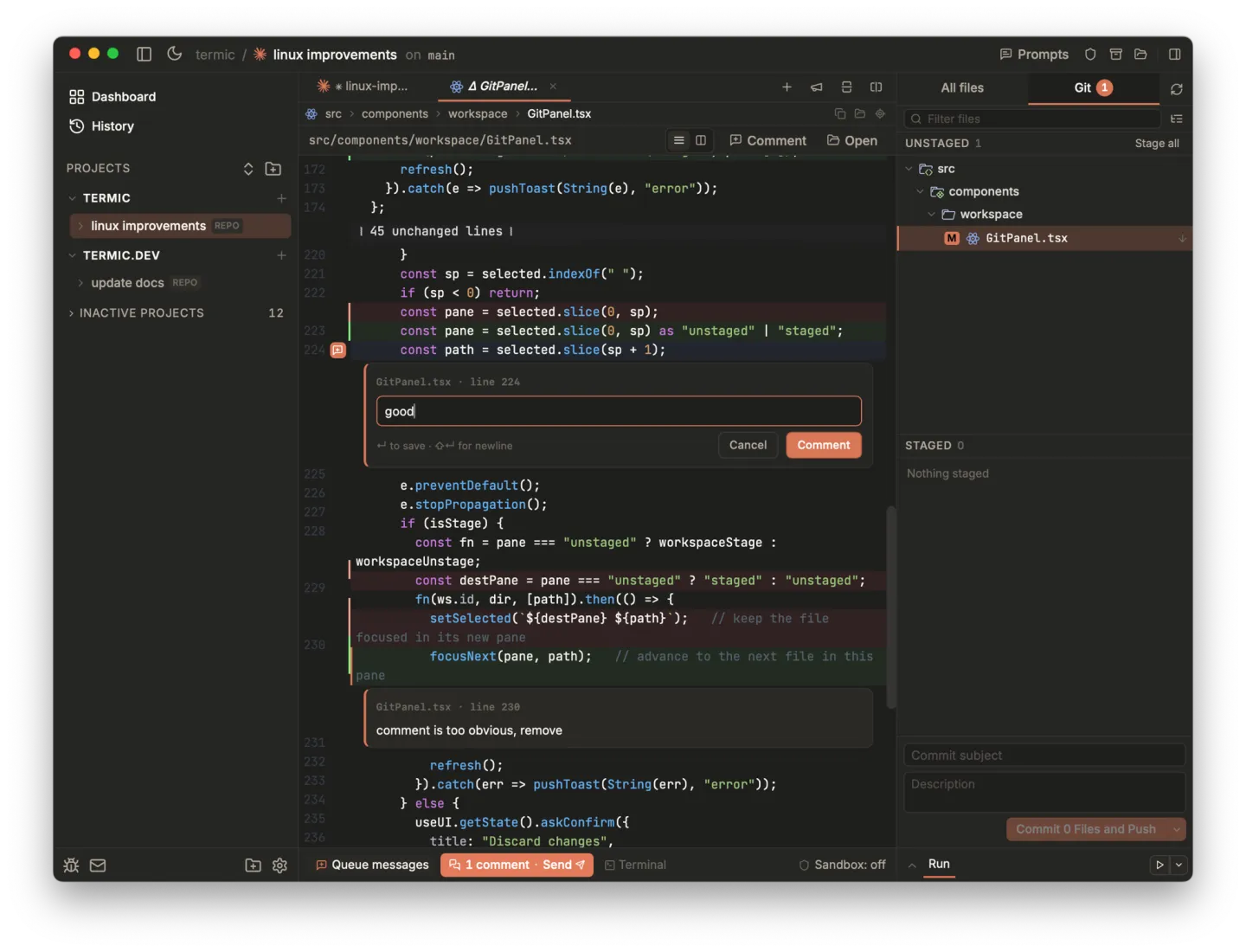
Select a line, leave a note. Saved comments stay pinned to the diff with an accent stripe down the gutter.
To change a comment, hover its card and use Edit or Delete.
Reviewing the batch
Comments are held as drafts: nothing is sent until you say so. While you have pending comments, a bar appears in the terminal footer reading {N} comments · Send. Click it to open the review popover, which lists every draft grouped by file. Click a file name to jump to its diff, hover a comment to remove it, or hit Discard all to clear everything.
Drafts are scoped per task and survive switching tabs, so you can work through a change at your own pace before handing it back.
Files that have inline review comments also show a comment count badge in the Git panel, so you can see at a glance which changed files have pending comments.
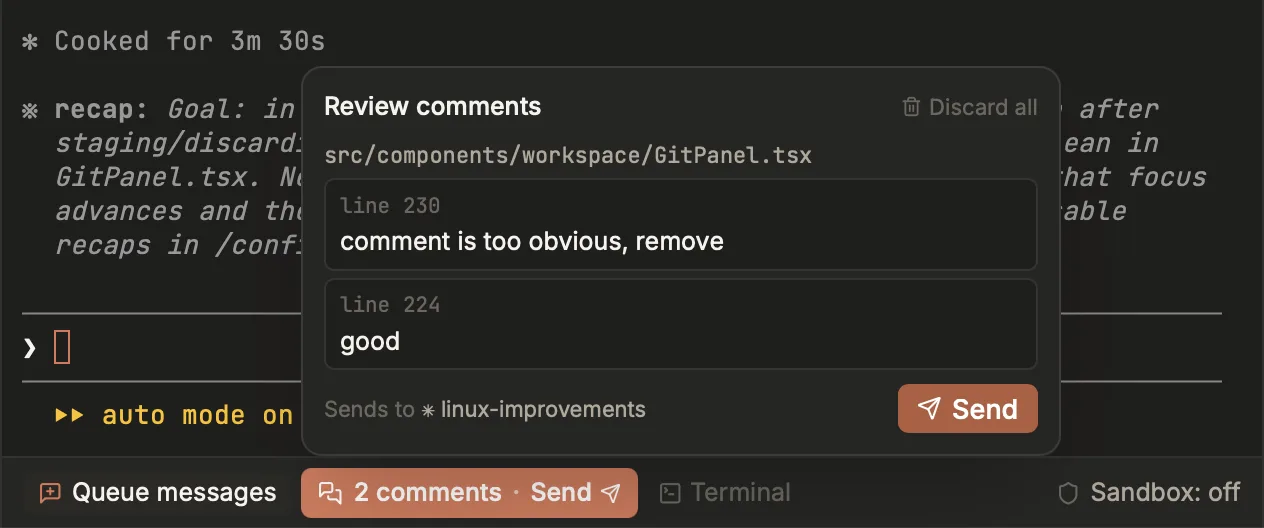
Every draft in one place, grouped by file. Pick the agent, hit Send.
Sending to the agent
Press Send and Termic composes your comments into one message and delivers it to the running agent in that task. Each comment carries its file, line range, and a quoted snippet of the source, so the agent can locate your feedback even if line numbers have since shifted. If more than one agent is running, pick which one receives the batch before sending.
On success you’ll see a Sent N comment(s) toast and the terminal takes focus so you can keep going. The drafts are only cleared once delivery succeeds. If the agent can’t be reached, your comments are kept so you can retry.
Where it fits
Inline comments sit alongside the rest of the review surface:
- Read the change in the diff viewer first. That’s where you leave the comments.
- Want a second opinion instead of giving feedback yourself? The Review prompt in the prompt library points a fresh agent at the diff.
- Broadcast sends one prompt to several agents at once.
Related
- Editor & diff viewer: reading the change.
- Prompt library: have an agent review instead.
- Agents & the registry: which agents receive your comments.