Two keystrokes cover almost all the navigation you need in a repo: one to jump to a file by name, one to find text across the whole codebase. Both are built on git, which means they’re fast and they respect your .gitignore for free.
Cmd+P: the file finder
⌘P opens a fuzzy file finder for the active task, the same muscle memory as Sublime, VS Code or any editor’s “go to file”. Start typing part of a path and it narrows; the fuzzy match means ap/usr/ctrl finds app/users/controller.rb.
It’s backed by git ls-files, so the candidate list is exactly your tracked files, no node_modules, no build output, no junk. On a big repo that’s the difference between an instant list and a multi-second filesystem crawl.
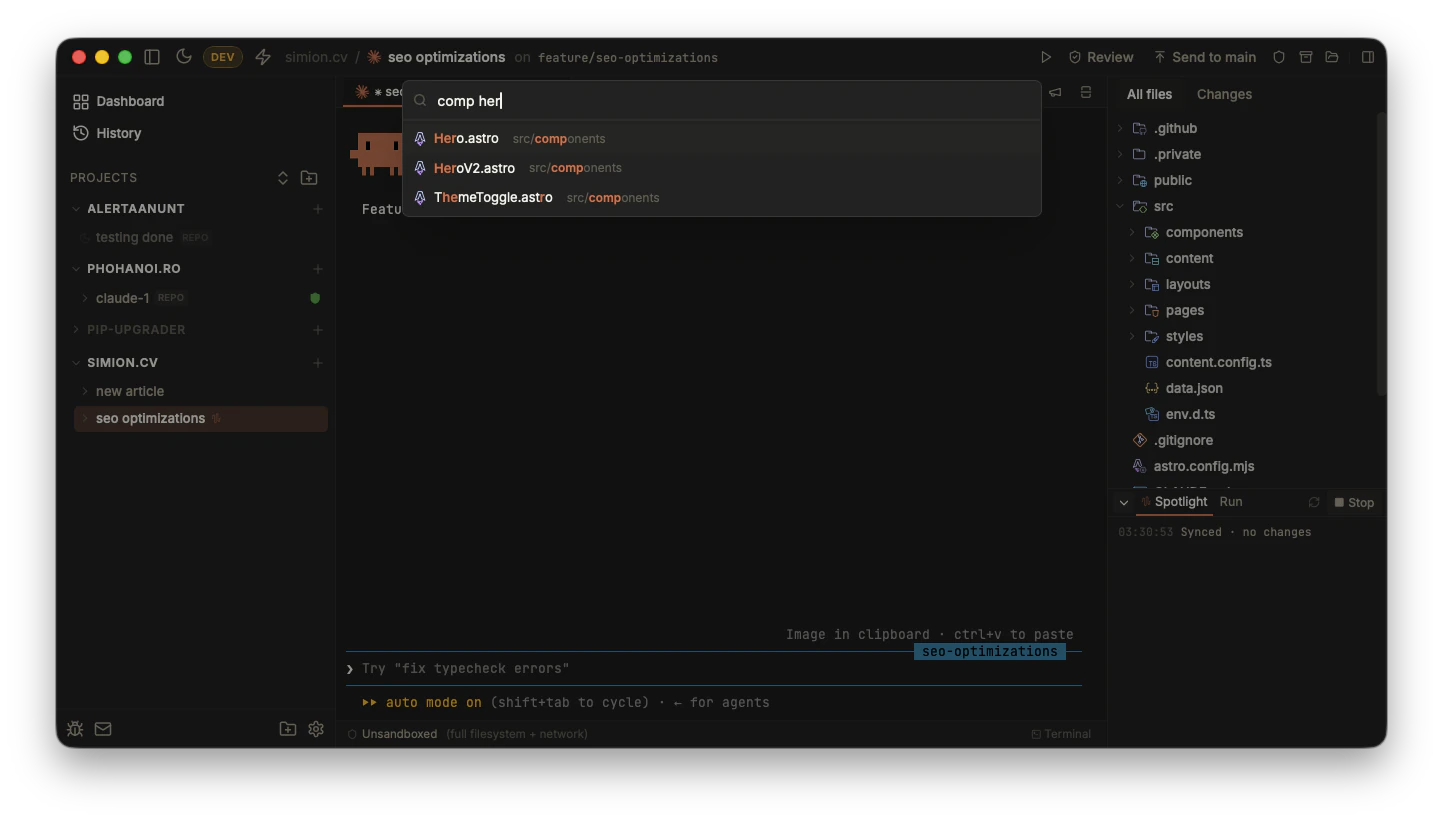
⌘P fuzzy-matches across tracked files: “comp her” finds src/components/Hero.astro.
Shift+Cmd+F: find in files
⇧⌘F runs a search across the whole repo. It’s backed by git grep, which means:
- It’s
.gitignore-aware and already indexed by git, so it’s quick even on large repositories. - Results stream in live as the search runs, rather than making you wait for the whole thing to finish.
A few things keep it responsive and out of your way:
- A 350ms debounce and a 3-character minimum, so typing a query doesn’t fire a fresh
git grepon every keystroke mid-word. - Results are batched in Rust before crossing into the web layer, so a search that matches thousands of lines on a giant repo doesn’t flood the UI thread and freeze the window.
- A visible Cancel button while a search is running, and superseded searches are cleaned up so a fast new query doesn’t get tangled with a slow old one.
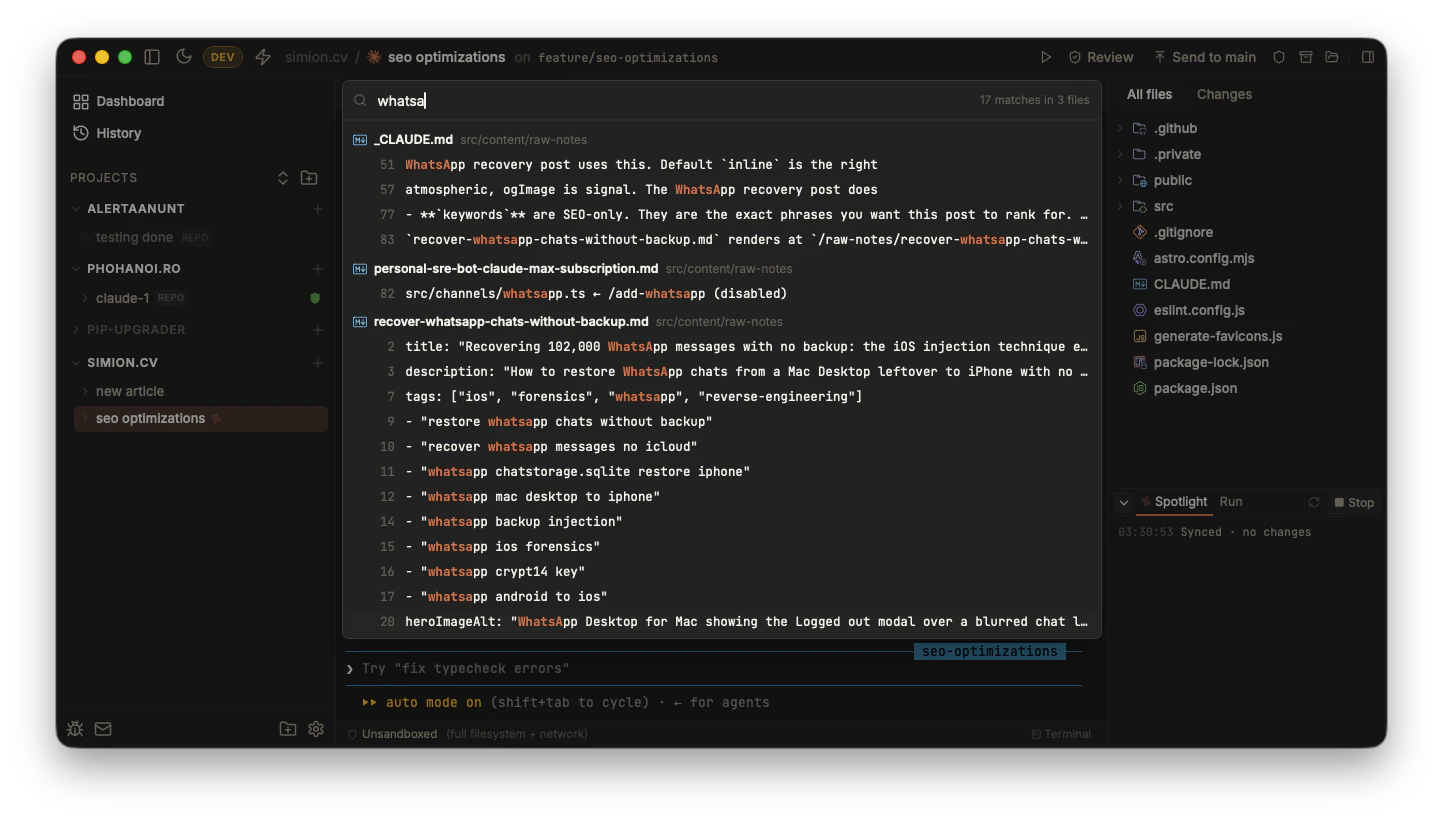
⇧⌘F streams matches grouped by file, with line numbers and the query highlighted.
Multi-repo tasks
In a multi-repo task, both ⌘P and ⇧⌘F search across every member repository, not just one. Termic runs the underlying git ls-files / git grep over each member in turn and merges the results, with every hit prefixed by the repo it came from so you can tell api/ from web/ at a glance. One keystroke covers the whole task, the way the agent already sees it.
Both also work while a terminal is focused. ⌘P and ⇧⌘F open the finder over whatever you’re looking at, so you don’t have to click out of the agent first.
Why git-backed
Building search on git rather than a generic file walker is a deliberate choice. Git already maintains an index of your tracked files, already knows what’s ignored, and git grep is heavily optimized. Reusing that gives you correct results (you almost never want to search node_modules) and good performance on large repos without Termic maintaining its own index.
The trade-off: search covers tracked files. Brand-new untracked files won’t appear until git knows about them. A future switch to ripgrep (still honoring .gitignore) is on the roadmap to cover that case.
Related
- Code navigation: finding a symbol rather than a file, once a project has a language server on.
- Editor & diff viewer: opening and reading the files you find.
- Keyboard shortcuts: the full key reference.
- Terminal:
⌘Fto search within a single terminal’s output.