A task isn’t much use if you can’t run the thing you’re building. Termic gives each project a setup script, a run script and a preview URL, configured once and inherited by every task, so starting a dev server in a fresh worktree is one click rather than a sequence you retype each time.
The run panel
At the bottom of a task is a panel with three actions:
- Setup: a one-shot script that prepares a fresh task:
npm install,bundle, copy an env file, whatever a new checkout needs. It runs automatically when a worktree is created, and you can re-run it from the panel. Its output streams live. On projects with no setup script, the button is hidden. - Run: your dev server (or whatever long-running process you’re iterating on). Output streams into the Run tab. Stop sends
SIGTERMto the whole process group, so a server and its children all shut down cleanly, no orphaned process holding your port. - Open: expands your preview URL template and opens it in your browser.
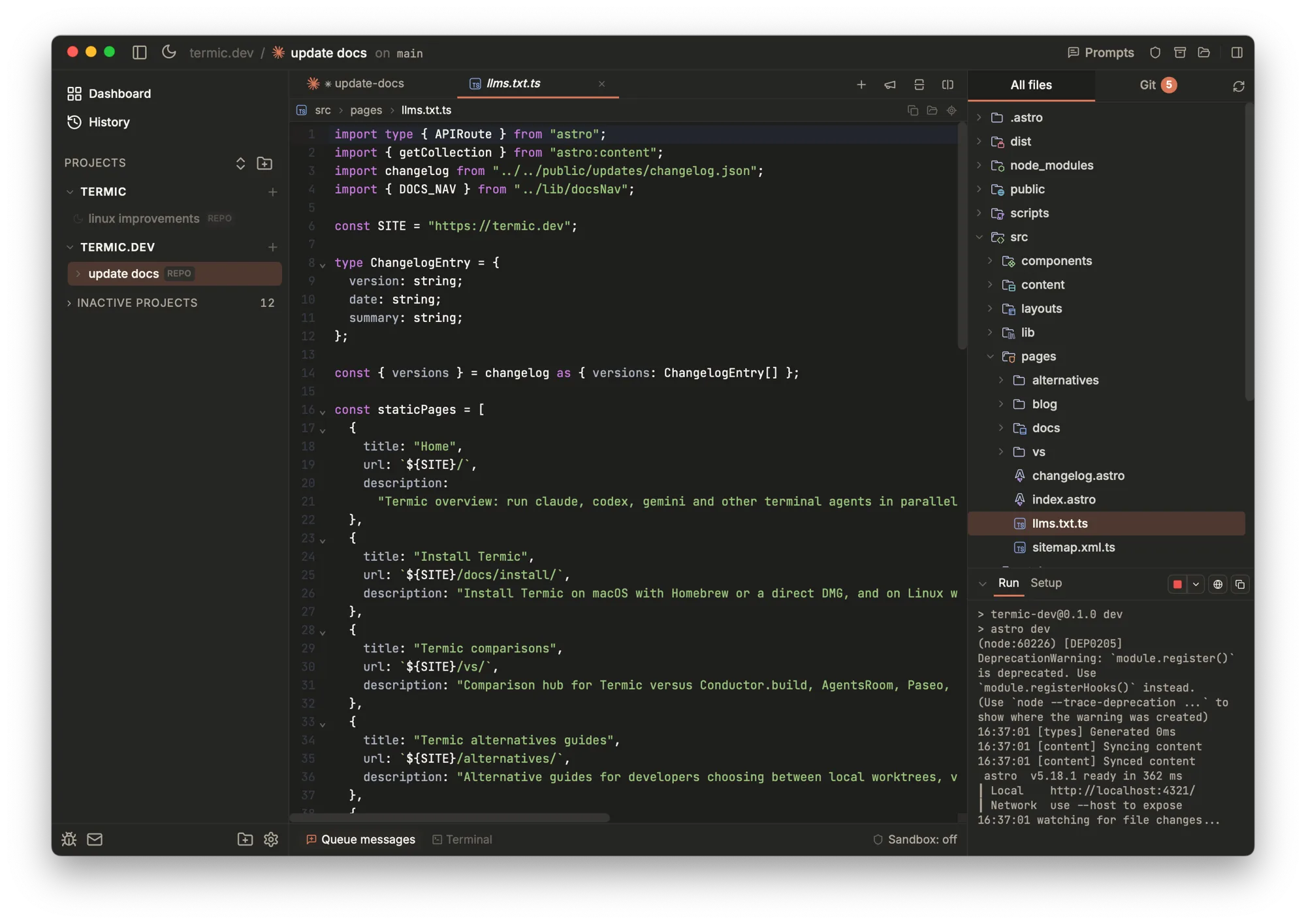
The run panel: Run and Setup tabs, your dev server’s output streaming live, and a one-click open-in-browser. Configured once per project, inherited by every task.
The preview URL
The preview URL is a template, not a fixed string, because each task gets its own port. You write something like:
http://localhost:$TERMIC_PORTand Termic substitutes the task’s assigned port when you click Open. That’s how parallel tasks each run a dev server without colliding: every worktree has a distinct $TERMIC_PORT.
Variable reference
Scripts and the preview URL can use these variables:
| Variable | Expands to |
|---|---|
$TERMIC_PORT | The task’s assigned port. |
$TERMIC_PORT_<MEMBER> | A specific member’s port in a multi-repo task (e.g. $TERMIC_PORT_API). |
$TERMIC_WORKSPACE_NAME | The task’s name. |
$TERMIC_TASK | The task’s name, under the word Termic uses everywhere else. Same value as above. |
$PORT | Alias for the task port, for tools that expect it. |
$CONDUCTOR_PORT | Legacy alias for the task port. |
$CONDUCTOR_WORKSPACE_NAME | Legacy alias for the task name. |
$TERMIC_TASK and $TERMIC_WORKSPACE_NAME hold exactly the same string. The second is the older spelling, from before workspaces were renamed to tasks, and it is kept so nobody’s script breaks.
The two $CONDUCTOR_* aliases are the reason a preview URL or run script you bring over from Conductor just works without editing. See migrating.
A buffering gotcha
If your script’s output appears in big delayed chunks instead of streaming line by line, that’s pipe buffering, not Termic. Termic sets PYTHONUNBUFFERED so Python streams line-by-line automatically. For other block-buffering binaries, prefix the command with stdbuf -oL in your script to force line buffering.
Where scripts live
You can configure scripts and the preview URL in a project’s Repository settings, or commit them to .termic.yaml so teammates inherit the exact same setup instead of reconstructing it. The .termic.yaml route is the one to prefer for anything a colleague will also need.
Spotlight
When a task is spotlighted, Run executes at your main checkout against the synced changes rather than inside the worktree, and Termic restarts it automatically when you move Spotlight to a different task.
Related
.termic.yaml: committing scripts for the team.- Multi-repo tasks: per-member ports.
- Spotlight: running your stack from the main checkout.