The default sandbox is a macOS Seatbelt profile plus a CONNECT proxy. It is fast, it needs nothing installed, and it is what most people should use. Docker mode is the other option: the agent CLI runs inside a container instead of a Seatbelt profile.
What you get for the extra machinery is a stronger filesystem boundary (the agent sees a filesystem you assembled, not yours with holes punched in it) and a blast radius that ends at the container rather than at a policy file.
Experimental. Network egress is not restricted the way the Seatbelt’s proxy restricts it. A containerised agent can reach the network. If the network allowlist is the property you care about, stay on the Seatbelt.
Turning it on
Settings → Docker Sandbox holds the whole feature.
- Docker status tells you whether Docker is installed and running. Termic probes a login shell’s
PATHfor this, because a GUI app inherits launchd’s minimal environment and would otherwise miss a Docker installed in/usr/local/binor/opt/homebrew/bin. - Enable Docker sandbox turns the mode on.
- Build the image. This is an explicit action, never something that happens lazily on a task spawn. Until it has run, the panel says “Not built yet. Build it to use Docker mode in a task.”
Per task, the mode is chosen in the task’s Sandbox dialog: Run in Docker, and Switch to Seatbelt or Stop using Docker to go back.
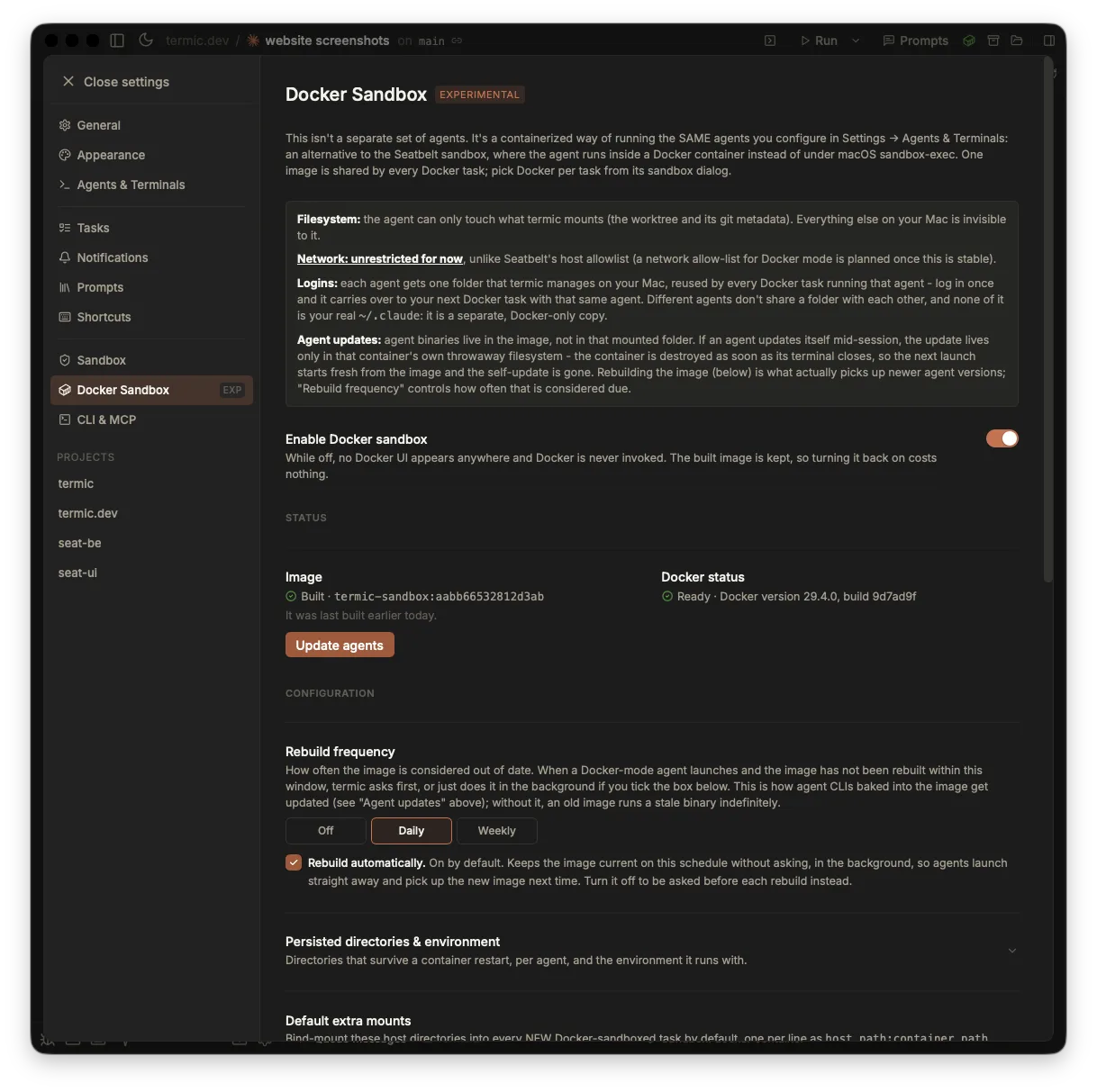
One page holds the whole feature: the toggle, whether Docker is actually running, and the state of the built image. The network caveat is stated in the panel at the top rather than left for you to find.
One image, edited as a Dockerfile
There is one generic image for every agent, and it is a plain Dockerfile you can read and edit in Settings. No per-agent images to keep in sync, and no bespoke build format to learn: if you know how to add a package to a Dockerfile, you know how to add it here.
Rebuilds are cheap because only the agent layers are rebuilt, so adding an agent takes seconds rather than minutes. The build streams into the task’s own pane rather than hiding behind a spinner, so a failing build is a log you can read.
Rebuild frequency lets Termic offer a rebuild on a schedule you choose, or do it in the background without asking.
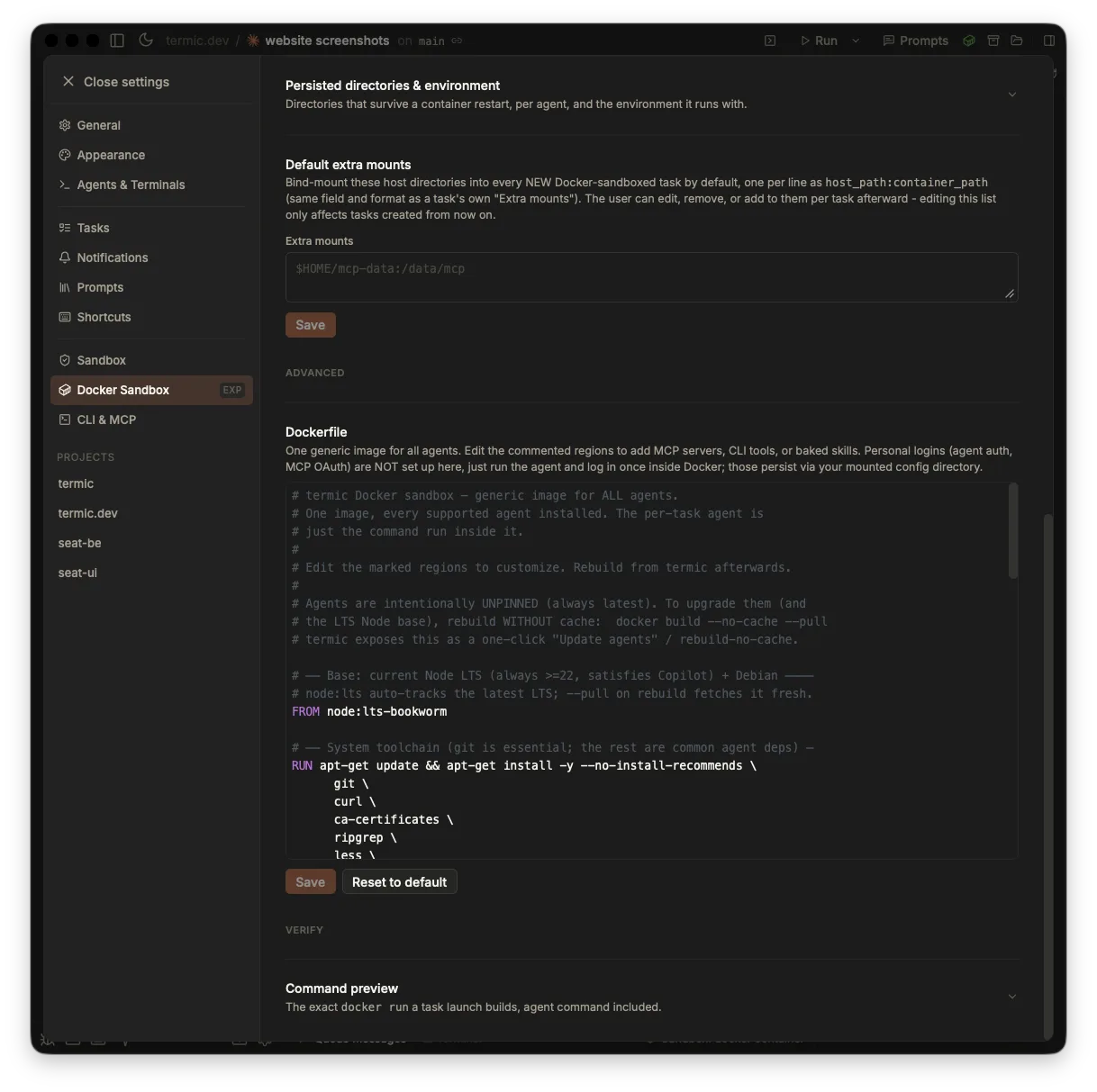
One generic image for every agent, edited as the Dockerfile it actually is. Adding a package is the line you would write anywhere else, and Reset to default undoes the experiment.
Your logins survive
The obvious problem with containerising an agent CLI is that it loses its login. Termic mounts each agent’s own config folder, one per agent, so claude keeps its credentials and codex keeps its own, separately.
That per-agent split has a useful consequence: cloning an agent in the registry is all it takes to keep a work login separate from a personal one. Two entries for the same CLI, two config folders, two logins, and you pick which one a task uses.
Environment variables and persisted directories are per agent too, and a persisted directory can point anywhere, not only under the container’s home.
What the container is allowed to be
- Runs as your host user, not root. Files an agent creates in a mounted worktree belong to you, and nothing needs
chownafterwards. - Every Linux capability is dropped.
- PID exhaustion is capped, so a runaway agent cannot fork-bomb the daemon.
- Extra mounts are configurable, globally as defaults and per task, for the paths a container genuinely needs.
Command preview
Preview command prints the exact docker run a launch would build, agent command included, before you commit to it.
This exists because a sandbox you cannot inspect is a sandbox you have to trust. The preview is the same thing Termic is about to execute, so “what exactly is mounted into this container” is answerable by reading, not by guessing.
Which one should you use
| Seatbelt | Docker | |
|---|---|---|
| Needs anything installed | No | Docker |
| Filesystem boundary | Allowlist over your real filesystem | A filesystem you assembled |
| Network | Allowlisted via a CONNECT proxy | Unrestricted, for now |
| Startup | Immediate | Image must be built first |
| Status | Default | Experimental |
Use the Seatbelt unless you specifically want the container boundary. Use Docker when the filesystem boundary matters more than the network one, or when you want a blast radius you can throw away.
Related
- Sandbox overview: the default Seatbelt cage and the threat model both modes share.
- Network allowlist: the egress control Docker mode does not have yet.
- Agents & the registry: cloning an agent, which is how per-agent logins work.
- Settings reference: where the Docker page sits.