Sometimes you don’t want one agent to do a task, you want to ask several the same thing and see how their answers differ. Broadcast sends one prompt to every agent in a task at the same time.
How it works
Press ⇧⌘B to open the Broadcast dialog (the megaphone). Type your prompt once, send it, and it goes to all the agents in the current task concurrently. Each one works the prompt in its own tab, and you read the results in parallel.
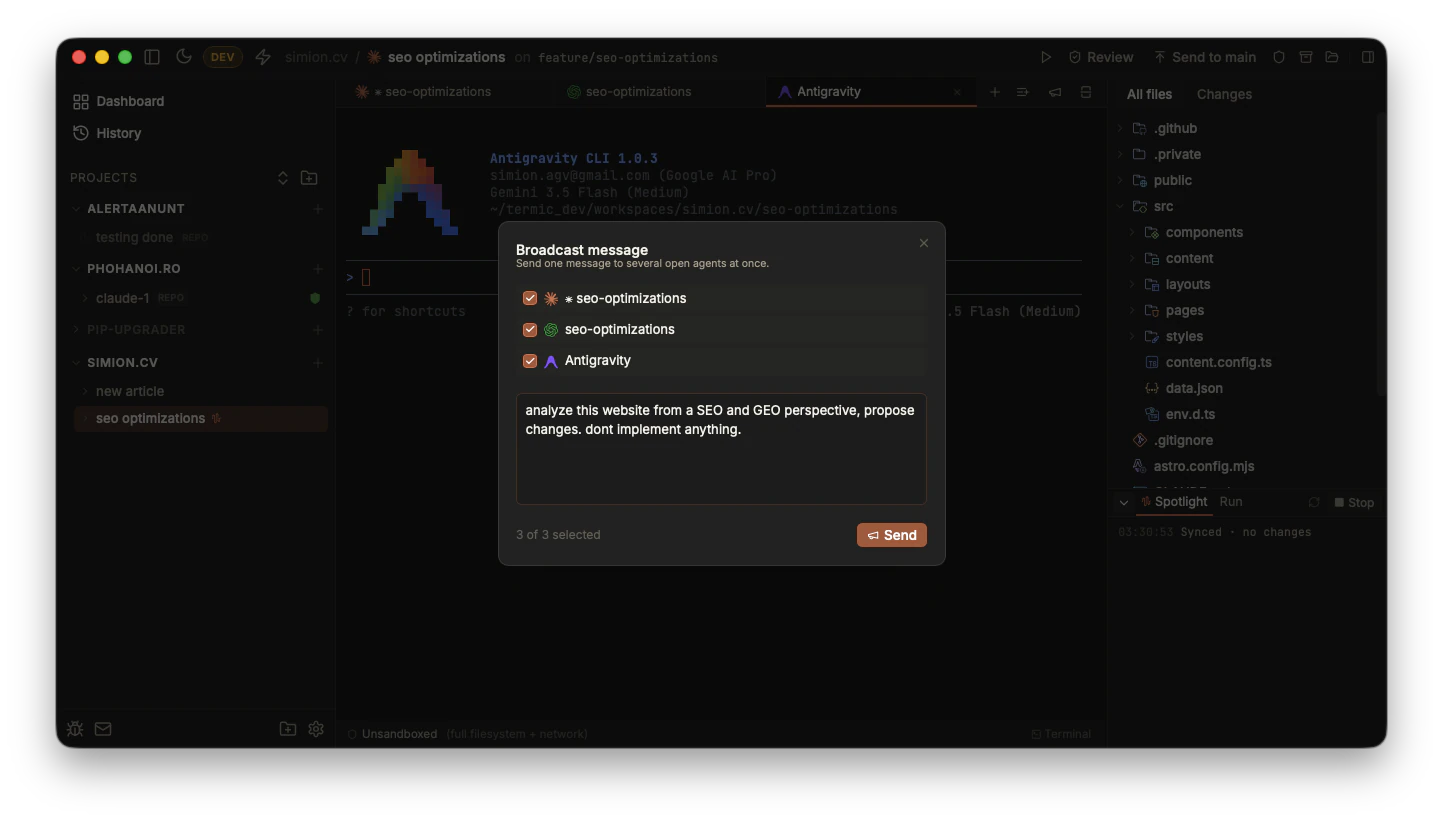
One prompt, every selected agent. Tick the agents you want, type once, Send.
Broadcast to a whole project
The megaphone above fans a prompt across the agents inside one task. Sometimes you want the opposite reach: one message to every task in a project at once, for example when you have several worktrees going and want them all to pull the latest main, re-read an updated CLAUDE.md, or run the same instruction in parallel.
Right-click a project in the sidebar and pick Broadcast message. The count beside it, Broadcast message (N), is how many tasks in that project currently have a live main agent to receive it. Type your prompt once and it goes to the main agent of each task, the task’s default agent tab, not every tab, so a task running claude alongside a couple of side terminals still gets exactly one copy.
The two scopes are complementary: task-level broadcast asks several agents the same question inside one task (comparison); project-level broadcast sends one instruction across all your parallel tasks in a project (fan-out).
What it’s good for
Broadcast is built for comparison, not for parallel execution of a build. The cases where it shines:
- Comparing models. Ask
claude,codexandgeminithe same design question and see where they agree and where they diverge. Disagreement is often where the interesting trade-off is. - Sanity-checking an approach. Pose “here’s how I’m thinking of structuring this, what would you change?” to several agents at once and look for the consensus.
- Quick polling. Any question where one answer isn’t quite enough confidence.
It pairs naturally with running different agents in tabs in the same task: set them up once, then broadcast questions to all of them whenever you want a second (and third) opinion.
A note on cost
Each broadcast is a real turn for each agent, so it spends real quota across each one. That’s usually fine, comparison is worth it, but it’s worth being aware that broadcasting to three agents costs roughly three times what asking one does. Because Termic runs the interactive CLIs on your subscription rather than a metered SDK, that’s your normal Pro / Max quota, not a separate credit.
Related
- Parallel agents: running multiple agents to broadcast to.
- Scheduled messages & Ralph-style loops: the opposite shape, several prompts to one agent over time.
- Prompt library: a focused variant: fire one saved prompt at one agent.
- Keyboard shortcuts:
⇧⌘Band the rest.